5 Mobile App Types That Decide Your Cost and Timeline
5 Mobile App Types That Decide Your Cost and Timeline ! Engineers comparing mobile app prototypes There are five practical mobile app categories that matter for a business decision: native, web, hybrid, cross-platform, and progressive web apps (PWAs).


There are five practical mobile app categories that matter for a business decision: native, web, hybrid, cross-platform, and progressive web apps (PWAs). The right pick depends mainly on one trade-off: how much you need deep device access and top-tier performance versus how fast and cheaply you need to ship. The comparison table and checklist below turn that trade-off into a concrete answer for your project.
TL;DR:
- Native apps offer maximum performance and immediate hardware API access but require maintaining two separate codebases, increasing costs and development time.
- Web apps provide instant access and ease of update with minimal cost, but lack reliable hardware interaction and can have inconsistent user experiences across browsers.
- Cross-platform frameworks like React Native and Flutter bridge the gap by delivering near-native performance with shared code, suitable for apps requiring good hardware access without full native complexity.
- Progressive Web Apps can often replace native apps for content and e-commerce, especially when offline capabilities and installation ease are priorities, although they fall short on deep hardware integration.
- Choosing the wrong app type often stems from not clearly defining core device requirements and budget constraints upfront, making early architectural planning essential.
BitruptBuild the Right Mobile App FoundationBitrupt’s senior engineers create secure, scalable custom software tailored to your platform requirements and long-term business goals.Explore Bitrupt’s solutions
Table of Contents
- What Are the Different Types of Mobile Apps?
- What Is a Native App and When Should You Build One?
- What Is a Web App and How Does It Work on Mobile?
- What Is a Hybrid App and When Does It Make Sense?
- How Do Cross-Platform Frameworks Differ From Hybrid Apps?
- What Are Progressive Web Apps (PWAs) and Are They Worth It?
- What Other Mobile App Types Should You Know About?
- Native vs Hybrid vs Cross-Platform: Which Wins on What?
- How Should You Choose the Right App Type for Your Business?
- What Drives Cost, Timeline, and Long-Term Maintenance?
- How Bitrupt Approaches Mobile App Development
- Which App Type Fits Your Project Right Now?
- An Editorial Take on Choosing an App Type
- Build Your Mobile App With Senior Engineers From Day One
- Sources
- FAQ
What Are the Different Types of Mobile Apps?
Every mobile app decision really comes down to three separate questions, not one. First, what technology builds it (native code, web code, or some blend of both)? Second, how does it reach users (an app store download, a browser tab, an install prompt)? Third, does it need to run identically on iOS and Android, or is one platform enough?
These three axes explain why the same word, “app,” can mean wildly different engineering commitments. A native banking app and a browser-based event microsite are both mobile apps, but one needs three months of security testing and the other needs a domain name. Classifying by technology tells you about performance and access to hardware. Classifying by distribution tells you about discoverability and how much friction stands between a curious visitor and an active user. Classifying by platform coverage tells you about your long-term maintenance bill.
The types of mobile apps covered in this guide, and the ones worth knowing before you brief any developer or agency, are:
- Native apps — built with platform-specific languages for maximum performance and full device access
- Web apps — browser-based experiences with no install required
- Hybrid apps — web code wrapped inside a native shell
- Cross-platform apps — shared codebases compiled to native performance on multiple platforms
- Progressive Web Apps (PWAs) — installable, offline-capable web apps
- Emerging types — wearable, AR/VR, instant, voice-first, and on-device ML apps
Each category solves a different combination of budget, timeline, and technical requirement. None of them is universally “best,” despite what most comparison articles imply.
What Is a Native App and When Should You Build One?
A native app is written in the language a platform was built for: Swift or Objective-C for iOS, Kotlin or Java for Android. The app compiles directly against the operating system’s own frameworks, which is why native apps get first access to new hardware features, often months before cross-platform tools catch up.
That direct relationship with the OS is the whole story. A native camera app can tap into the latest computational photography APIs the day Apple or Google ships them. A native fitness app can pull raw sensor data from a watch with no translation layer slowing it down. Nothing sits between your code and the device.
Advantages:
- Best possible performance for animation, graphics, and processing-heavy tasks
- Full, immediate access to device APIs (camera, GPS, biometrics, Bluetooth, AR kits)
- Platform-consistent UX that feels native to iOS or Android users
- Easier long-term support for apps with heavy hardware demands
Limitations:
- Two separate codebases (iOS and Android) mean double the engineering time and cost
- Slower time to market compared to shared-codebase approaches
- Requires two specialized skill sets on your team or vendor roster
Native fits businesses building anything hardware-intensive: banking apps handling biometric authentication, health apps reading wearable sensor data, games rendering complex 3D scenes, or any product where a half-second lag in a scroll or camera preview will cost you users. Bitrupt’s iOS development team regularly builds this kind of native-first product for healthcare and fintech clients where performance and compliance both matter.
Pro Tip: Even cross-platform teams eventually need native code for a specific feature. React Native’s .ios.js and .android.js file naming convention lets you keep platform-specific logic cleanly separated from your shared codebase instead of littering it with conditional statements.
What Is a Web App and How Does It Work on Mobile?
A web app runs entirely in a mobile browser, built with the same HTML, CSS, and JavaScript that power any website. There’s nothing to download and nothing to approve through an app store review process. You visit a URL, and the app loads.
That simplicity is the entire pitch. A web app removes every point of friction between someone hearing about your product and actually using it. No storage space required, no update prompts, no waiting on Apple’s or Google’s review queues before you can ship a fix.
Advantages:
- Instant access with zero install friction
- One codebase reaches every device with a browser
- Fastest, cheapest option to build and update
- No app store approval delays for releases
Limitations:
- Limited or no access to device hardware (camera, GPS precision, push notifications vary widely)
- Performance depends heavily on network connection and browser
- User experience can feel inconsistent across different mobile browsers
Web apps make sense for content sites, marketing microsites, internal dashboards, and SaaS tools where users are already comfortable working inside a browser tab. A portfolio of web and mobile projects shows how varied this category actually gets, from simple lead capture tools to full customer portals. If your product’s core value doesn’t depend on the camera, sensors, or offline access, a web app is often the fastest path to real user feedback.
What Is a Hybrid App and When Does It Make Sense?
A hybrid app wraps standard web code (HTML, CSS, JavaScript) inside a thin native shell, using a bridge like Apache Cordova or Ionic’s Capacitor to reach device features the browser alone can’t touch. The app gets listed in app stores and looks like a native download, but most of what runs inside it is still a web view.
Older hybrid frameworks earned a rough reputation for sluggish scrolling and UI that never quite felt right on either platform. Modern hybrid tooling has closed some of that gap, but the fundamental trade-off hasn’t disappeared: every device feature you need beyond the basics requires a plugin, and every plugin is another dependency that can break with the next OS update.
Advantages:
- One shared codebase for both platforms, cutting development cost
- Faster to build than two native codebases
- Reasonable access to common device features through plugins
Limitations:
- Plugin and bridge complexity grows fast as feature requirements grow
- UI performance rarely matches true native, especially on animation-heavy screens
- Debugging issues that live at the native/web boundary takes specialized skill
Hybrid is a sensible fit for internal business tools, simple loyalty or utility apps, and MVPs where a business needs an app store presence quickly but isn’t chasing console-quality performance. It’s a shrinking category, mostly because cross-platform frameworks now solve the same cost problem with far less compromise.
How Do Cross-Platform Frameworks Differ From Hybrid Apps?
Cross-platform frameworks like React Native, Flutter, and Kotlin Multiplatform share code across iOS and Android too, but they don’t run your app inside a web view. React Native renders actual native UI components; Flutter compiles to native ARM code through its own rendering engine; Kotlin Multiplatform shares business logic while letting each platform keep its own native UI layer. That distinction is what separates cross-platform from hybrid, even though marketing copy often blurs the two together.
React Native remains the most widely adopted choice for teams that want native-feeling screens without maintaining two separate codebases, largely because its component model maps closely to how iOS and Android developers already think about interfaces. Flutter trades some of that native-mapping simplicity for extremely consistent rendering across both platforms, since it draws every pixel itself rather than relying on OS widgets. Kotlin Multiplatform takes a narrower approach: share the logic layer (networking, data models, business rules) and let native teams keep full control of UI, which suits companies with existing native teams who want to cut duplicate work without a full rewrite.
Trade-offs to weigh:
- Near-native performance for most apps, with occasional native modules needed for edge cases
- Faster development than two native codebases, slower than a single web app
- Smaller hiring pool than plain web development, but far larger than dual native teams
A deeper breakdown of when cross-platform development beats native is worth reading if your product sits right on this line.
Pro Tip: Set your file and module boundaries early. Teams that wait until problems appear to separate platform-specific code end up with tangled conditional logic that’s far harder to untangle than starting clean with dedicated file extensions from day one.
What Are Progressive Web Apps (PWAs) and Are They Worth It?
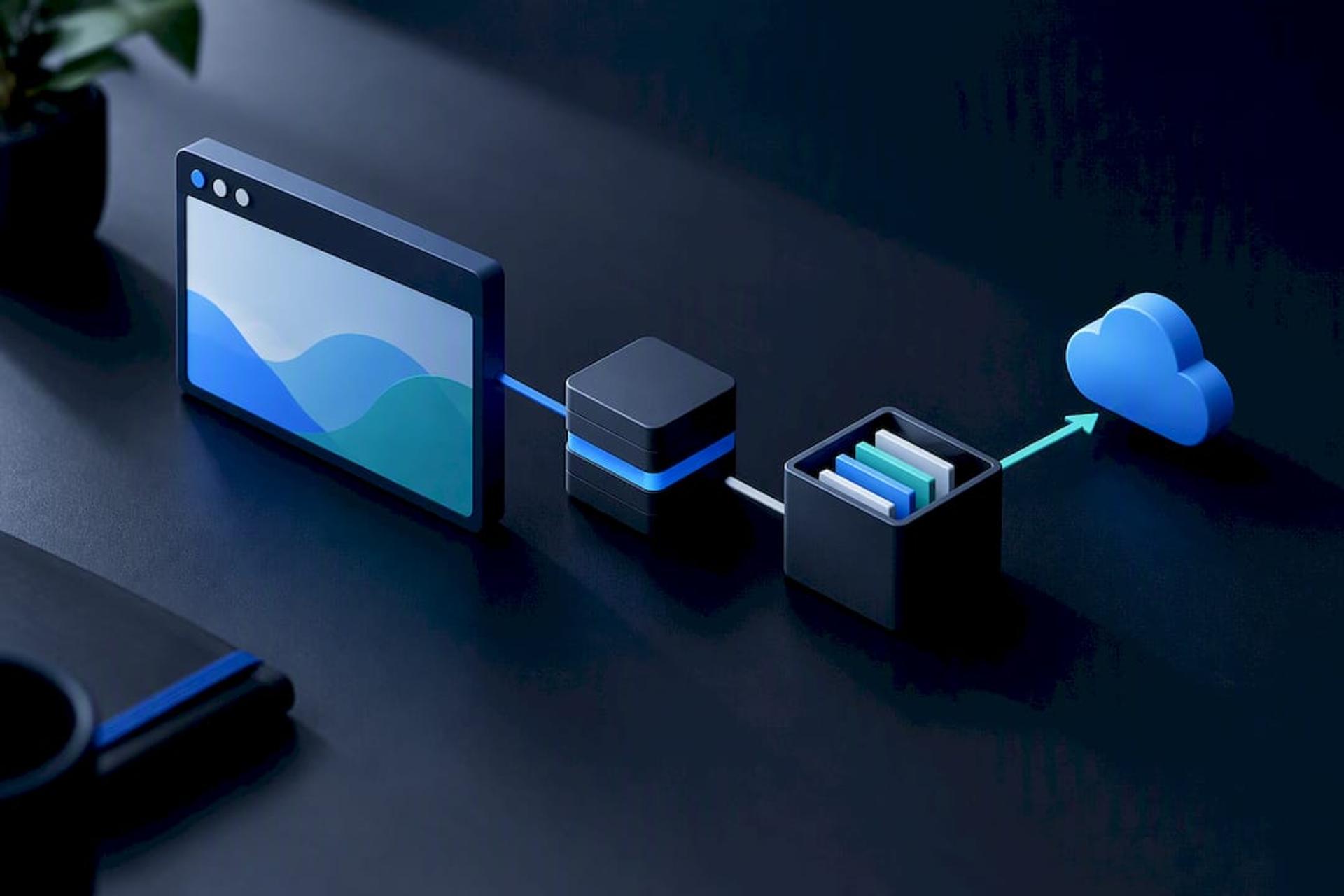
A PWA is a web app designed to behave like a native app with capabilities such as home screen installation, offline operation, and push notifications. Two technical pieces make that possible: a web app manifest that tells the browser how the app should look and behave once installed, and a service worker, a background script that caches content and enables offline operation.
Service workers are the real engine behind this category. They run in a separate thread from the page itself, which is how a PWA can keep working on a subway with no signal, sync data once the connection returns, and push notifications the same way a native app would.
Platform support isn’t uniform, and this is the detail that trips up a lot of planning conversations. Android browsers generally support automatic install prompts once a site meets the manifest and service worker criteria. iOS has historically been stingier, often requiring users to manually tap “Add to Home Screen” rather than surfacing an automatic prompt, so any product betting on PWA reach needs an explicit, visible install flow for Apple users rather than relying on the browser to do the selling.
The capability gap is narrower than most people assume. Push notifications, offline caching, and home-screen presence, features once considered exclusively native, now work reasonably well through a PWA for a wide range of everyday apps.
Where PWAs work well:
- Content and media apps where offline reading matters more than hardware access
- E-commerce storefronts wanting an installable feel without app-store overhead
- Internal tools where IT wants one codebase and no app store approval cycle
- Products testing market demand before committing to a full native build
Tools like PWABuilder can even package a PWA for app store distribution when a business wants both worlds. For anything needing deep hardware access or console-level graphics, though, native or cross-platform still wins.
What Other Mobile App Types Should You Know About?
A handful of specialized categories don’t fit neatly into the technology-based taxonomy above, but they show up often enough in planning conversations to deserve a quick rundown.
- Wearable apps run on watches and fitness bands, demanding tight battery and memory budgets and a UI built for glances, not sessions.
- AR/VR apps need dedicated frameworks (ARKit, ARCore) and are almost always native or cross-platform with native AR modules, since browser-based AR remains limited.
- Instant apps let Android users try a slice of functionality without a full install, useful for games or retail apps trying to cut acquisition friction.
- Voice-first apps built for smart speakers or in-app voice assistants require conversation design skills most mobile teams don’t have in-house yet.
- On-device ML apps run machine learning models locally for speed and privacy, which usually means specialized optimization work beyond typical mobile development.
None of these are essential for most businesses. Treat them as add-on capabilities layered onto one of the five core app types once your core product is proven, not as a starting point.
Native vs Hybrid vs Cross-Platform: Which Wins on What?
No single app type wins across every dimension, which is exactly why so many teams pick the wrong one. The table below breaks down the trade-off by the factors that actually drive a business decision.
| Factor | Native | Hybrid | Cross-Platform | Web / PWA |
|---|---|---|---|---|
| Performance | Highest | Moderate | Near-native | Good for content, weaker for graphics |
| Device API access | Full, immediate | Plugin-dependent | Broad, with native modules for edge cases | Limited, growing with PWAs |
| Cost to build | Highest (two codebases) | Lower | Lower | Lowest |
| Time to market | Slowest | Fast | Fast | Fastest |
| Maintenance burden | Two codebases to update | Plugin breakage risk | One codebase, occasional native fixes | Lightest |
A few rules of thumb make this easier to apply without overthinking it. If your product depends on AR, advanced camera processing, or console-grade graphics, choose native. If you need one team shipping fast across both app stores with a near-native feel, choose cross-platform. If you just need a functional presence with almost no budget and no urgency around app store listing, choose web or a PWA. Hybrid earns a place only when you need an app store listing today and your feature list is genuinely simple.
How Should You Choose the Right App Type for Your Business?
Work through this checklist before you talk to any developer, freelancer, or agency. It forces the decisions that actually determine which app type fits, instead of letting a vendor’s favorite tech stack make the call for you.
- List every device feature you truly need (camera, GPS precision, offline mode, biometrics, push notifications) and separate “must-have” from “nice-to-have.”
- Set a real budget range and timeline, not an aspirational one, since app type choice can shift cost by two or three times.
- Check your team’s existing skills or your vendor’s actual specialization, not just what’s listed on their homepage.
- Ask how the platform roadmap looks in two years: will you need AR, wearable support, or deeper OS integration later?
- Ask any prospective partner directly how they handle platform-specific bugs, who owns App Store and Play Store submissions, and what their post-launch maintenance plan looks like.
Watch for a few red flags while you’re evaluating partners: vague answers about which native modules they’ll need, no clear plan for OS update testing, or a quote that doesn’t separate one-time build cost from ongoing maintenance. A realistic scoping process for prototyping and budgeting will surface most of these issues before a contract is signed.
Pro Tip: Ask every candidate developer the same question: “What happens when Apple or Google changes an API you depend on?” The quality of that answer tells you more about their real experience than any portfolio screenshot.
What Drives Cost, Timeline, and Long-Term Maintenance?
Three factors drive most of the cost variance between app types: number of platforms, depth of device integration, and how much custom design work the UI needs. A simple single-platform app with a handful of screens might scope in weeks; a dual-platform native app with biometric authentication, offline sync, and custom animations scopes in months, no matter who builds it.
Performance and security testing aren’t optional line items you add later. Load testing under real network conditions, penetration testing for anything handling payment or health data, and accessibility testing all belong in the original timeline, not a rushed pass before launch.
Maintenance is the cost most first-time app owners underestimate. Operating system updates land every year, third-party SDKs deprecate on their own schedule, and a cross-platform framework’s own version upgrades can quietly break features if nobody’s watching. Budget for ongoing support the same way you budget for the build itself.
- OS version updates (iOS and Android both ship major releases annually)
- Third-party SDK and dependency deprecations
- Security patching for any app touching payment, health, or personal data
- Framework version upgrades for cross-platform tools
How Bitrupt Approaches Mobile App Development
Some software development studios build native, cross-platform, and web-based mobile products for healthcare, fintech, marketplace, and ed-tech companies, often using senior engineers on their engagements. That matters most in exactly the decision this guide covers: senior engineers have already made the native-versus-cross-platform call dozens of times and know where the trade-offs actually bite.
Clients work through flexible models, including development pods or direct staff augmentation, rather than being locked into one rigid engagement structure. Hiring a studio over a junior freelancer or a lone contractor pays off most when device integration, compliance, or long-term maintenance are on the table, exactly the conditions where a wrong architecture call gets expensive fast.
Which App Type Fits Your Project Right Now?
If you’re validating an idea on a tight budget, start with a web app or PWA and prove demand before committing to more. If you’re building a consumer product where polish and brand feel are the differentiator, cross-platform usually gets you there fastest without doubling your dev team. If your product depends on hardware, real-time performance, or deep OS integration, go native from day one. Scope the real cost with the AI cost calculator before you commit to any of the three.
An Editorial Take on Choosing an App Type
The mistake teams make most often isn’t picking the wrong app type. It’s picking an app type before they’ve honestly answered what the product needs from the device, then spending months discovering the gap the hard way. Money spent upfront on that question is the cheapest money in the entire build.
— Usama
Build Your Mobile App With Senior Engineers From Day One
Most agencies staff mobile projects with a mix of junior and senior developers, which means you’re often paying senior rates for junior-speed decisions on exactly the architecture questions this article just walked through. Some companies place senior engineers on every mobile engagement to help make the native-versus-cross-platform call correctly the first time instead of revisiting it months into a build.
Whether you already know you need a native iOS build or you’re still weighing cross-platform against a PWA, the mobile app services team can scope the right architecture for your specific device requirements and budget. Run your project through the AI cost calculator to get a realistic estimate before you commit to a build, or book a scoping call to walk through your requirements with a senior engineer directly.
Sources
For technical depth beyond this guide, see the MDN PWA installability guide, React Native’s platform-specific code docs, and the Wikipedia overview of mobile apps.
FAQ
What Are the Different Types of Mobile Apps?
The main types are native, web, hybrid, cross-platform, and progressive web apps (PWAs), each classified by the technology used to build them and how they’re distributed to users. Native apps use platform-specific languages, web apps run in browsers, and hybrid and cross-platform apps sit somewhere between the two using shared codebases.
What Are the Three Types of Applications?
The most common baseline taxonomy names three core technology-based categories: native, web, and hybrid. Cross-platform frameworks and PWAs are newer additions that build on this original three-way split, offering different trade-offs between shared code and native performance.
What Genres of Mobile Apps Are Most Popular?
Beyond the technical classification, apps are also grouped by genre: social media, gaming, e-commerce, finance, health and fitness, productivity, and education are among the most downloaded categories. A single app type (say, cross-platform) can serve almost any of these genres depending on the business’s performance and budget needs.
Should a Startup Choose Native or Cross-Platform for Its First App?
Most startups validating a new idea benefit from cross-platform frameworks like React Native or Flutter, since they cut development time and cost roughly in half compared to building two native codebases. Native only becomes the better first move when the product’s core value depends on hardware access or performance that cross-platform can’t yet match.
Can a PWA Replace a Native App Entirely?
A PWA can replace native for many content, e-commerce, and utility apps, since service workers now support offline access and push notifications that once required native code. It generally can’t replace native for apps needing deep hardware access, console-grade graphics, or guaranteed install prompts on iOS, where manual “Add to Home Screen” steps still apply.