AWS Migration Checklist: 7 Phases From Assessment to Optimization
AWS Migration Checklist: 7 Phases From Assessment to Optimization ! Engineer checks cabling in a data center A good AWS migration checklist does one job: it keeps you from discovering critical dependencies on cutover night.


A good AWS migration checklist does one job: it keeps you from discovering critical dependencies on cutover night. The order that works is assess and inventory, set strategy and goals, estimate cost, build a secure landing zone, test, cut over with a rollback path, then optimize. This guide walks through each phase with the specific items to tick off, based on AWS’s own guidance and what we see on real engagements.
BitruptPlan a More Reliable Cloud MigrationBitrupt builds custom, scalable and secure software, with senior engineers supporting teams that need tailored technology solutions.Explore Bitrupt’s engineering services
TL;DR
- Start with a discovery-based inventory of applications, dependencies and owners. Everything else (strategy, cost, schedule) depends on it.
- Pick a migration strategy per workload, not per company: rehost, replatform, refactor, repurchase, retire or retain.
- Build the business case with temporary migration costs, not just the future monthly AWS bill.
- Dry-run every wave, freeze changes during cutover, and keep the old system ready until the new one has proven itself.
- Migration ends after right-sizing, monitoring, decommissioning and a cost review, not when traffic switches.
Table of Contents
- How to use this checklist
- Phase 1: Assess and inventory what you have
- Phase 2: Set goals, strategy and a realistic schedule
- Phase 3: Estimate migration and ongoing cloud cost
- Phase 4: Prepare security and the landing zone
- Phase 5: Pick tools, then test and rehearse
- Phase 6: Cut over with a rollback plan
- Phase 7: Validate and optimize after the move
- Common mistakes this checklist prevents
- Our perspective
- Get a senior team on your migration
- FAQ
- Sources
How to use this checklist
I’m going to be direct: most failed migrations don’t fail on technology. They fail because someone skipped analysis and treated the move as a weekend project. AWS describes migration as an iterative process of assessment, readiness and planning, migrations and operations, where repeated waves make the work more predictable. Treat the list below the same way: you will loop through it several times, once per wave.
Analogy: moving to AWS is like moving house. You wouldn’t hire a truck before counting the rooms, checking what fits in the new place and deciding what to throw out. The checklist is your room count.
The seven phases:
- Assess and inventory
- Set goals, strategy and schedule
- Estimate cost
- Prepare security and the landing zone
- Test and rehearse
- Cut over with a rollback plan
- Validate and optimize
Phase 1: Assess and inventory what you have
AWS’s official migration decision guide says planning begins with assessment and mobilization: inventory applications and dependencies, build the business case, create a migration strategy, establish a landing zone and build cloud practices in the team. Do these before moving anything.
Checklist: discovery
- List every application, server, database and scheduled job, including the ones nobody admits to owning.
- Map application-to-server relationships and network dependencies. AWS’s application portfolio assessment guide calls for a portfolio discovery exercise that captures inventory, system dependencies and these mappings to inform migration waves.
- Record business criticality, compliance needs, data volumes and an owner for each system.
- Flag end-of-life software, licensing constraints and anything tied to specific hardware.
- Reconcile what the tools discovered with what people believe exists. The two lists rarely match.
Checklist: organizational readiness
AWS recommends a Migration Readiness Assessment using the AWS Cloud Adoption Framework, which evaluates six perspectives: business, people, governance, platform, security and operations. In plain terms, ask:
- Who owns the migration and has authority to make tradeoffs?
- Does the team have people who have run production workloads on AWS?
- Who approves security and compliance exceptions?
- Is operations ready to support a hybrid state for months?
If the honest answer to the skills question is “not yet,” that is a staffing decision to make now, not mid-project. Bringing in senior engineers for the first waves is a common way to close that gap, and it is exactly the kind of work our cloud migration services team does.
Phase 2: Set goals, strategy and a realistic schedule
Goals come before architecture. Write down why you’re moving: exit a data center, cut hardware refresh costs, ship features faster, meet resilience targets, prepare for AI workloads. Each goal pushes you toward different strategies. A data center exit favors rehosting; a speed-to-market goal may justify refactoring.
Choose a strategy per application
AWS recommends classifying each application using seven strategies: Relocate, Rehost, Replatform, Refactor, Repurchase, Retire and Retain, based on interdependencies, technical complexity and business criticality.
| Strategy | What it means | Typical fit |
|---|---|---|
| Rehost | Move as-is to EC2 | Fast data center exits, stable legacy apps |
| Replatform | Small changes, such as a managed database | Apps that gain from managed services without a rewrite |
| Refactor | Re-architect for cloud-native design | Core products that need scale or speed |
| Repurchase | Switch to a SaaS product | Commodity systems like email or CRM |
| Retire | Turn it off | Unused or duplicate systems |
| Retain | Leave it where it is for now | Systems with hard constraints or low value to move |
We go deeper on this in our guide to the 7 Rs and how to choose.
Build waves, not one deadline
AWS’s Migration Portfolio Assessment guidance describes how to discover, classify and group applications, estimate effort and cost, then prioritize and create migration waves. The same tool supports configurable wave capacity and duration, which gives you a basis for a realistic schedule instead of one date for the whole estate.
Practical rules for waves:
- Group applications that share dependencies so they move together.
- Make wave one small and low-risk. Its real purpose is to test your process and your team.
- Put high-impact systems in later waves, after the process has proven itself.
- Name an owner and a timeline for every wave, and plan contingencies. AWS’s cloud migration checklist for SMBs makes the same recommendation.
- Separate strategy (what and why) from the tactical plan (how and when). AWS advises this for smaller organizations to reduce scope creep and keep delivery on budget, and it works at any size.
If you’re moving a public website or app, add URL mapping to the plan. A site migration SEO plan keeps rankings intact while hosting changes underneath.
Phase 3: Estimate migration and ongoing cloud cost
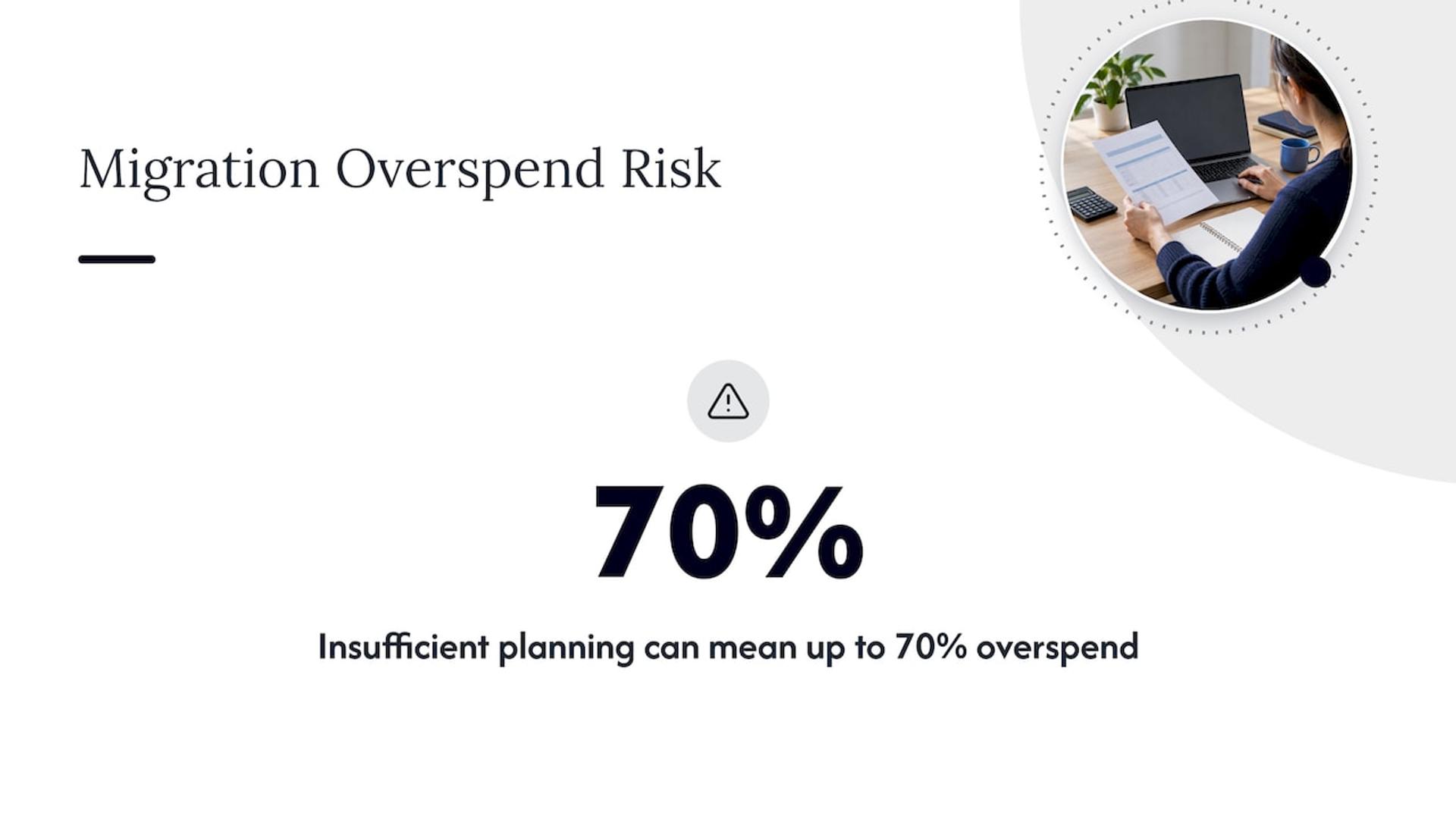
The most common budgeting mistake is comparing today’s hardware bill to a future AWS bill and stopping there. A credible business case includes more. An AWS and Apptio planning guide lists current costs, contractual commitments, temporary migration costs, planned AWS service costs, timing, duration and migration order. It also warns that migrations without enough operational and financial planning can overspend by up to 70%.
Checklist: cost
- Build a monthly estimate by selecting planned resources in AWS Pricing Calculator. Each AWS service has its own pricing model, as the AWS re:Post guide to estimating costs explains.
- Plan to forecast with Cost Explorer and cost-allocation tags from day one, so spend maps to teams and products.
- Budget the double-running period, when you pay for both old and new environments.
- Include data transfer, replication, licensing, training and any outside help.
- Set a review date for the first three months after each wave.
We’ve written detailed budgeting guidance in what to budget for on-prem to cloud migration, and a follow-up on AWS cost optimization in three phases for after the move. Replication tooling itself can add surprise charges, which is why we compared cloud migration tools with cost in mind.
Phase 4: Prepare security and the landing zone
A landing zone is the pre-built, governed AWS environment that your workloads land in: accounts, networking, identity, logging and guardrails. The decision guide lists establishing it as part of planning, before execution. Building it after you’ve started moving data is how teams end up with ungoverned accounts and public buckets.
Checklist: security and compliance
AWS’s SMB checklist points to these baseline tasks, which apply to larger teams too: centralize sign-in, enforce MFA and least privilege, encrypt data at rest and in transit, and align controls with obligations for regulated data.
Turn that into work items:
- Single sign-on through your identity provider, with MFA required for every human user.
- Separate accounts for production, staging and security tooling.
- Roles scoped to what each person or service needs, with no shared admin keys.
- Encryption with managed keys for storage, databases and backups, and TLS for traffic between services.
- Central logging and alerting turned on before the first workload arrives.
- A written map from each regulated data type to the control that protects it. If you handle protected health information or payment data, have your compliance lead sign off on this map before wave one. Our work in healthcare and fintech leans on this step heavily.
Phase 5: Pick tools, then test and rehearse
Match tools to the workload. AWS’s current decision guide identifies AWS Transform for application and dependency inventory, the Migration Acceleration Program for strategy and business-case support, Application Migration Service for large-scale application moves, Database Migration Service for databases, DataSync for large datasets and Storage Gateway for hybrid storage during the transition.
Checklist: rehearsal
- Run a dry-run migration for each wave. AWS guidance on large-scale moves says dry runs and phased waves help identify configuration mismatches and performance issues before live cutovers.
- Include user acceptance testing with real users, not just engineers. An AWS write-up on migrating exchange workloads recommends testing the plan, including user acceptance testing, before the full migration.
- Test performance under realistic load, including batch jobs and month-end peaks.
- Test database replication lag and the exact time it takes to reach a consistent state.
- Time each runbook step. If the rehearsal takes six hours and your outage window is four, you’ve learned that on a Tuesday instead of at cutover.
For teams that can’t afford downtime, our zero downtime deployment runbook covers techniques that carry over to cutovers.
Phase 6: Cut over with a rollback plan
Cutover is the shortest phase and the one everyone remembers. AWS’s SMB checklist advises choosing a cutover style, such as big-bang, phased or blue-green, based on risk, with change freezes enforced during the cutover window.
Checklist: cutover day
- Confirm the change freeze is in effect and communicated to every team that touches the system.
- Take final backups and verify they restore.
- Run the final data sync and confirm consistency checks pass.
- Switch traffic according to the chosen style (for example DNS weights for a phased move).
- Run smoke tests against a written list of critical user journeys.
- Hold a go or no-go checkpoint at a time agreed in advance, with one person empowered to call rollback.
- Keep the old system intact and ready. The same exchange-migration write-up recommends a backup plan and an old system ready to switch back if needed.
Analogy: rollback is a parachute’s reserve chute. You pack it carefully and hope never to use it, but nobody jumps without it.
Choose which style fits each system:
| Cutover style | Risk profile | Good for |
|---|---|---|
| Big-bang | Highest, shortest | Small systems with simple data |
| Phased | Moderate, longer | Systems with many users or tenants |
| Blue-green | Lowest rollback effort, extra cost | Customer-facing apps with strict uptime goals |
Phase 7: Validate and optimize after the move
The migration isn’t done when traffic flips. After migration, AWS advises you right-size compute and storage, enable autoscaling, use CloudWatch for visibility, review KPIs and update runbooks.
Checklist: first 90 days
- Compare actual performance and cost to the estimate from phase 3 and write down the variance.
- Right-size instances that were lifted over at on-prem sizing. Rehosted servers are usually oversized.
- Set alerts on latency, errors and spend, and test that they reach a person.
- Update runbooks, architecture diagrams and on-call rotations.
- Set a decommissioning timeline for old systems and document the cleanup. AWS guidance also calls for scheduling a cost review and planning optimization activities.
- Audit usage with Cost Explorer and act on idle resources.
- Hold a retrospective, then feed lessons into the next wave.
If machine learning models are among the workloads you moved, add monitoring for drift and data quality. Our model monitoring guide shows how.
Common mistakes this checklist prevents
- Skipping discovery. Undocumented dependencies are the top cause of cutover surprises. Use tooling plus interviews.
- One big date. A single deadline for the whole estate hides risk. Waves expose it early.
- Budgeting only the end state. The double-running period and temporary tools are real costs.
- Security as a later phase. Retrofitting identity and encryption is harder than building them into the landing zone.
- No rollback owner. If nobody can call it, nobody will until it’s too late.
- Declaring victory at cutover. Without right-sizing, cloud bills can exceed what you had on-prem.
Our perspective
We only staff projects with senior engineers, and migrations are where that matters most. The checklist is the easy part. The judgment is in deciding that one application should be retired, another replatformed, and a third left alone until next year.
What we see again and again is teams treating assessment as overhead. It is the cheapest insurance in the whole project. A week of dependency mapping can save a month of firefighting.
Our approach is to pair your team with senior engineers who have run these waves before, through a development pod or staff augmentation, so knowledge stays with you after we leave. You get direct access to technical decision makers and a response within 24 hours, which keeps a migration moving when something unexpected shows up.
Usama
Get a senior team on your migration
If you’d rather not learn this on your production system, we can help. Bitrupt plans and runs AWS migrations, from assessment through cutover and optimization, with senior engineers across cloud, DevOps and application work. See our cloud migration services or talk to us about your estate.
If your goal is to rebuild applications as cloud-native products rather than just move them, our cloud application development services cover that path.
FAQ
How long does an AWS migration take?
It depends on the size of your estate and how many dependencies you uncover. AWS recommends planning in waves with configurable capacity and duration rather than one date for everything. Run a small first wave to measure your actual pace, then plan the rest from that data.
Which AWS migration strategy should I choose?
Choose per application, not per company. AWS’s seven strategies are Relocate, Rehost, Replatform, Refactor, Repurchase, Retire and Retain, and the right one depends on interdependencies, technical complexity and business criticality. Many estates use several at once.
What AWS tools help with a migration?
AWS’s decision guide names AWS Transform for inventory, Application Migration Service for application moves, Database Migration Service for databases and DataSync for large datasets. Use Pricing Calculator and Cost Explorer for the money side.
How do I avoid downtime during cutover?
Rehearse with dry runs, pick a cutover style that matches your risk, enforce a change freeze and keep the old system ready to switch back to. Blue-green and phased cutovers reduce the blast radius compared with a big-bang switch.
What should I do right after migrating?
Right-size compute and storage, enable autoscaling, set up monitoring and alerts in CloudWatch, update runbooks and schedule a cost review. Then decommission old systems on a documented timeline.
Sources
- AWS: Choosing AWS migration services and tools
- AWS Prescriptive Guidance: Application portfolio assessment guide
- AWS Prescriptive Guidance: Mobilize your organization
- AWS: Strategies for Accelerating Migration to AWS
- AWS Migration Portfolio Assessment user guide
- AWS: Cloud migration checklist for SMBs
- AWS: Data migration checklist for SMBs
- AWS re:Post: Estimate AWS resource costs
- AWS and Apptio: A Modern Approach to Cloud Migration Costs and Planning
- AWS Prescriptive Guidance: Migrating large-scale Kubernetes clusters to Amazon EKS
- AWS Web3 Blog: Migrate centralized crypto exchange workloads to AWS, Part 2