Cloud Computing System: Components, Models and How to Choose
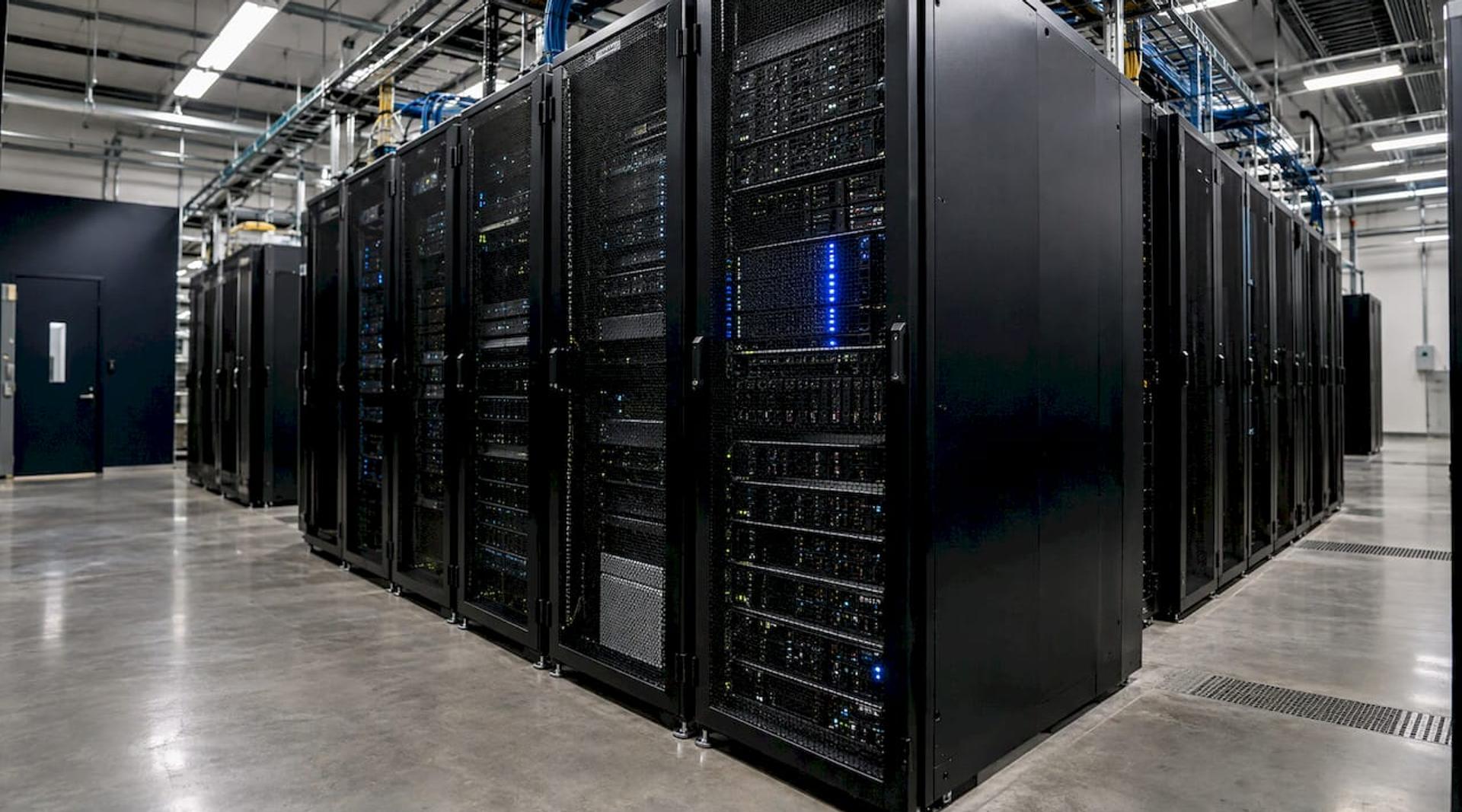
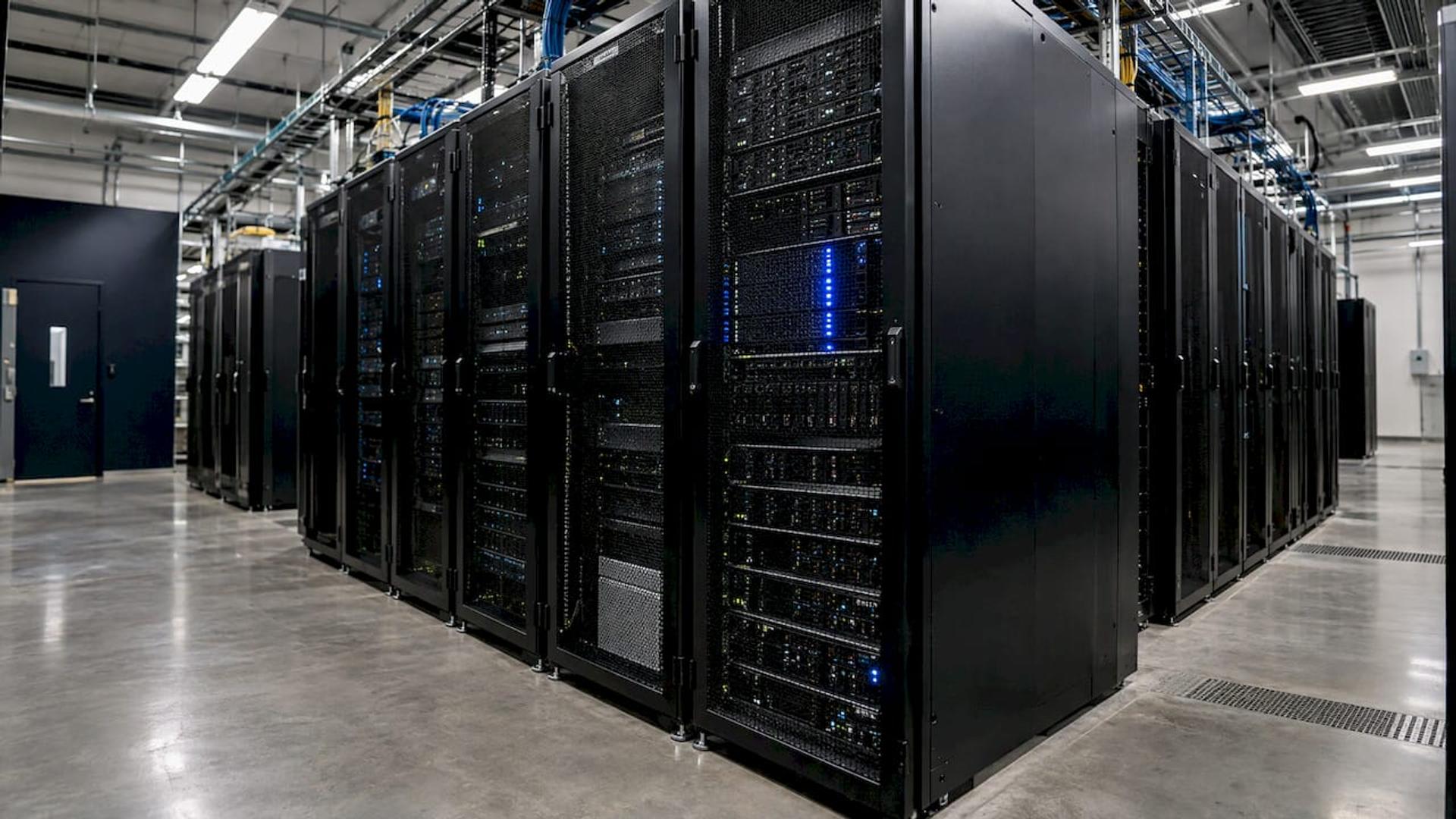
Cloud Computing System: Components, Models and How to Choose ! Cloud infrastructure racks in a server room A cloud computing system delivers computing resources (servers, storage, databases, networking and software) over the internet, on demand, so you rent what you use instead of owning and running the hardware.
A cloud computing system delivers computing resources (servers, storage, databases, networking and software) over the internet, on demand, so you rent what you use instead of owning and running the hardware. NIST defines it as a model for convenient, on-demand network access to a shared pool of configurable resources that can be provisioned and released with minimal management effort. This guide explains how such a system is put together, the models you will choose between, and how your application architecture (monolith or microservices) decides how much of the cloud you can use well.
BitruptBuild Cloud Software That ScalesBitrupt builds tailored, high-performance software with a focus on scalable, secure platforms and end-to-end solutions. Explore Bitrupt
TL;DR
- A cloud computing system is a set of shared, internet-delivered resources: a front end, a back end, a network and a delivery platform.
- Three service models (IaaS, PaaS, SaaS) set how much you manage. Four deployment models (public, private, hybrid, community) set where it runs.
- Moving to the cloud is a business decision. Whether it cuts cost depends on a full analysis of operation, compliance, security and migration costs.
- Architecture matters as much as hosting: a well-built monolith is often the right start, and microservices pay off when teams and scale demand them.
- Security is shared. The provider runs the platform, and you still own your configuration, access and data.
Table of Contents
- What a cloud computing system actually is
- How a cloud computing system is built
- Service models: how much do you manage?
- Deployment models: where does it run?
- Why organizations use cloud systems
- Security is a shared job
- Monolith or microservices: the architecture decision inside your cloud
- Our perspective
- Build your cloud system with senior engineers
- FAQ
- Sources
What a cloud computing system actually is
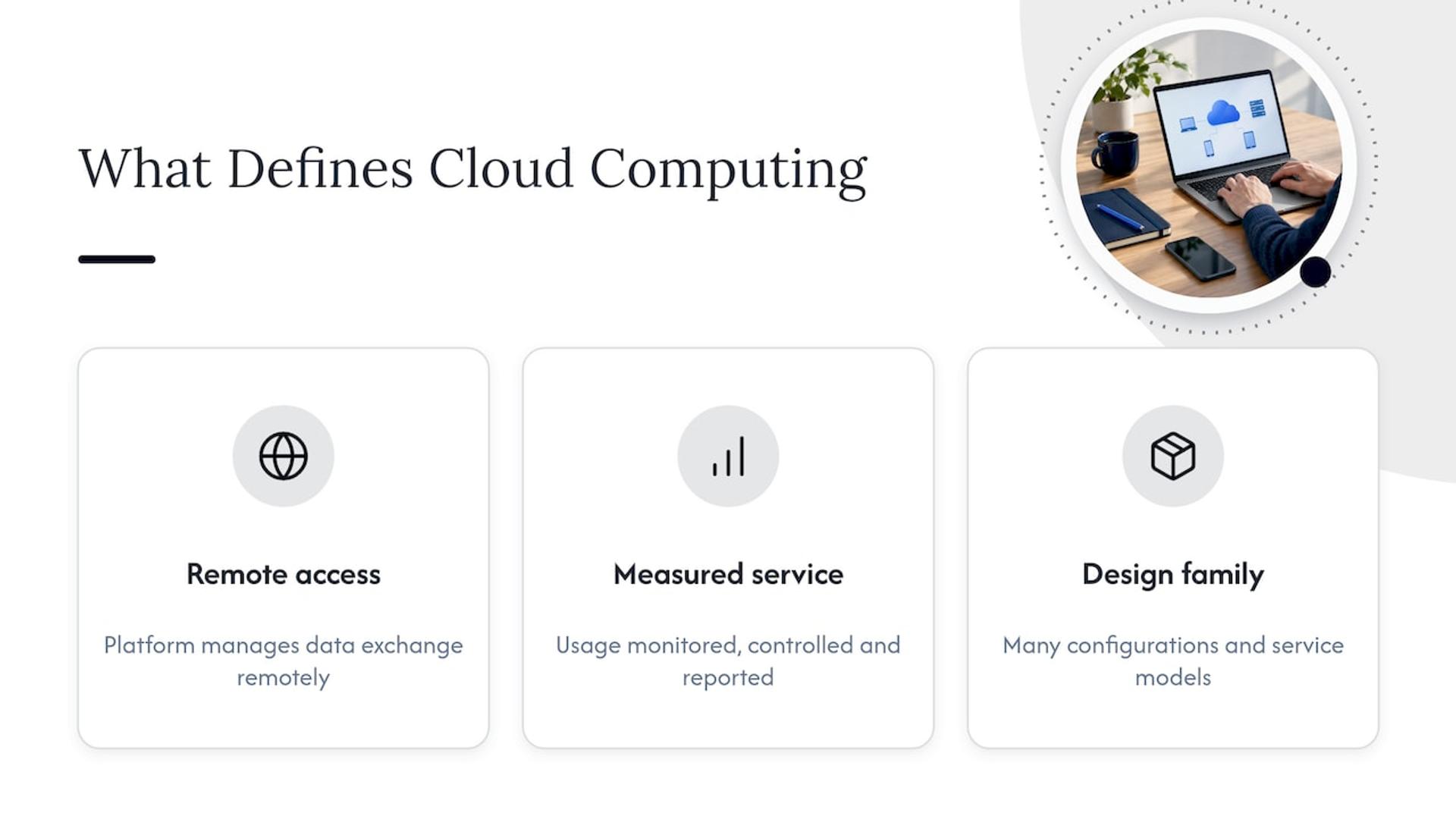
Think of electricity. You do not run a power plant to light an office; you plug in and pay for what you use. Cloud computing applies the same idea to computing. Google Cloud describes users connecting to a remote platform that manages the exchange of data, so individuals and businesses do not have to self-manage physical resources.
One caution from the standards world: NIST notes that calling the cloud a single kind of system is problematic, because it spans many configurations, service models and deployment models. “Cloud computing system” is therefore best read as a family of designs, not one product.
The GSA Cloud Information Center points to measured service as a defining trait: usage is monitored, controlled and reported, which gives both provider and customer transparency. That metering is what makes pay-as-you-go billing possible.
How a cloud computing system is built
Most explanations break cloud architecture into a few layers. The labels differ by vendor, but the picture is consistent.
Front end, back end, network
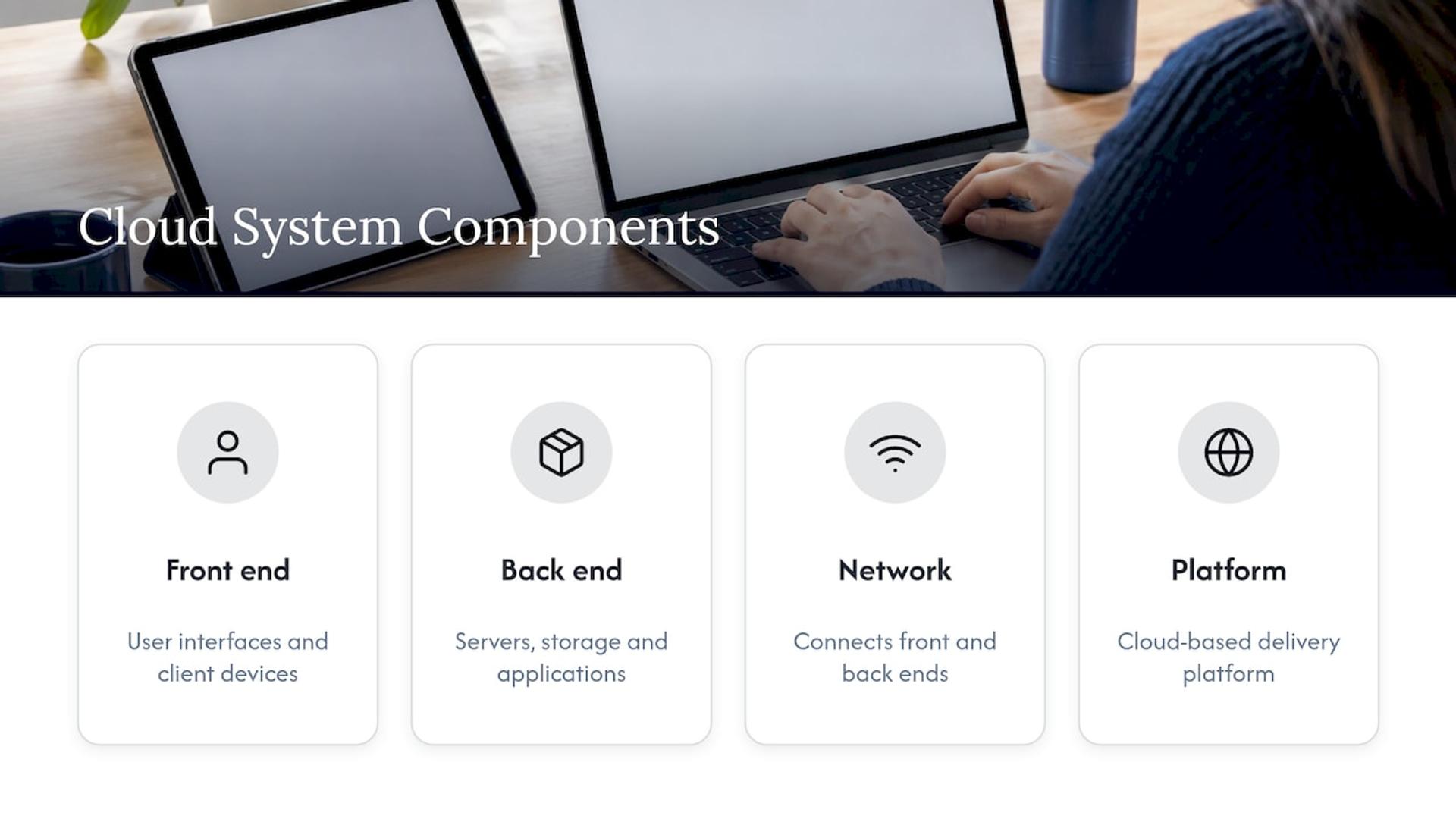
IBM lists four components: a front end (user interfaces and client devices), a back end (servers, storage and applications), a network that connects them, and a cloud-based delivery platform. Microsoft Azure gives concrete examples: the front end may be a web app, mobile app or API client, while the back end holds servers, databases, storage and application logic.
Hardware, virtualization, services
Intel describes three layers: a hardware layer of physical servers, storage and networking; a virtualization layer that abstracts those resources so they can be used efficiently across many servers; and an application-and-service layer of tools and control panels that coordinate requests. Virtualization is the trick that makes the cloud elastic. IBM explains it as an abstraction layer that lets hardware resources be pooled and divided regardless of physical boundaries.
What sits inside the infrastructure
TechTarget’s overview groups components into infrastructure, virtualization, middleware, automation and orchestration, management, and services. Infrastructure there includes bare-metal servers, virtual machines, containers, storage and networking. Provider services can add firewalls, identity and access management, load balancers, databases, monitoring and reporting.
Analogy: the architecture is the blueprint of a building. The hardware is the steel and concrete, virtualization is the way rooms are divided and reassigned, and your application is the tenant who moves in.
If you want a deeper walk through the variations, our guide to the types of cloud computing covers them side by side.
Service models: how much do you manage?
The three classic models differ by what the provider handles for you. OpenStax lists them as IaaS, PaaS and SaaS.
| Model | What you get | What you manage | Typical fit |
|---|---|---|---|
| IaaS | Networking, compute and storage building blocks | Operating systems, runtime, apps, data | Teams that want maximum control |
| PaaS | A platform to deploy and run applications | Your application and its data | Product teams that want to ship, not patch servers |
| SaaS | Finished software | Configuration and users | Business functions like email, CRM, accounting |
AWS says IaaS offers the highest level of flexibility and control over IT resources, while PaaS removes the need to manage underlying hardware and operating systems so you can focus on deploying and managing applications. With SaaS, consumers use the provider’s applications and do not manage or control the underlying system.
Where serverless fits
Serverless is not a fourth hardware type. Microsoft Azure explains that developers deploy code without provisioning or managing servers, and the provider handles infrastructure, scaling and maintenance. Servers still run the code. They are simply hidden, and workloads commonly run in response to events with pay-per-execution billing. It suits spiky, event-driven work such as processing uploads or handling webhooks.
Deployment models: where does it run?
- Public cloud: run by third-party providers and delivered over the internet. Fastest to start, lowest up-front cost.
- Private cloud: built, managed and owned by one organization and hosted in its own data center. More control, more to operate.
- Hybrid cloud: combines the two, so a company can use public services while keeping the security and compliance capabilities typical of private architectures.
- Community cloud: shared by organizations with common requirements, listed by OpenStax among the standard deployment models.
Regulated industries such as healthcare and financial services often land on hybrid designs because some data must stay under tighter control. That decision belongs in your compliance review, not just your engineering plan.
Why organizations use cloud systems
The headline benefits are pay-as-you-go pricing, on-demand availability and flexibility, without the burden of maintaining physical data centers. NIST adds that reduced up-front acquisition costs increase agility and lower the risk of pilot projects and experiments. In practice that means a startup can test a product with a small footprint and grow it as demand proves out.
The same NIST document is careful on money. The move is a business decision, and whether it reduces overall cost depends on analyzing all operation, compliance and security costs, including migration. Budget for the whole picture. Our breakdown of hidden cloud ERP costs shows how those buckets add up in a real program.
Security is a shared job
NIST states that cloud security depends on whether the provider implements robust controls and sound privacy policies, and that clouds inherit traditional concerns: confidentiality, integrity and availability. It also points out that users and administrators rely on browsers, so browser security is critical to preventing breaches. Because many customers’ data is aggregated in cloud centers, providers must show that customer data stays isolated and protected.
Put that into practice where you act:
- Read the service level agreement closely. NIST says to understand the legal responsibilities it assigns.
- Lock down identity and access first, because most of your exposure is in how your own team configures the platform.
- Define who monitors what, using the provider’s monitoring and reporting services.
- For regulated data (patient records, payment data), involve your compliance officer or counsel before choosing a deployment model.
Our piece on security as a service goes deeper on escalation and monitoring models.
Monolith or microservices: the architecture decision inside your cloud
Buying cloud capacity does not decide how your software is structured. That is a separate choice, and it shapes your cost and speed more than most hosting decisions.
As Atlassian puts it, a monolithic application is a single unified unit, while a microservices architecture is a collection of smaller, independently deployable services.
| Factor | Monolith | Microservices |
|---|---|---|
| Structure | One codebase, one deployable | Many small services with their own deploys |
| Development | Simpler to start and reason about | More moving parts, more coordination |
| Deployment | One artifact to ship | Independent releases per service, needs automation |
| Scaling | Scale the whole app together | Scale only the busy service |
| Fault isolation | One bug can affect everything | Failures can be contained to a service |
| Testing | End-to-end tests are straightforward | Needs contract and integration testing across services |
| Debugging | One place to trace | Requires distributed tracing and logging |
| Cost | Lower infrastructure and staffing overhead early | Higher platform and operations overhead, savings at scale |
Atlassian lists the monolith’s strengths as easy deployment, simpler development, simplified end-to-end testing and often better performance from a centralized codebase. That matches what we see: for an MVP, a monolith that is cleanly modular gets you to market sooner.
When a monolith is enough
Picture a 6-person team building a patient intake portal. One codebase, one database, one deploy pipeline. The team talks daily, traffic is predictable, and a single release process keeps them fast. Splitting that into a dozen services would add network calls, version management and on-call burden before it solved any real problem.
Analogy: buying a fleet of delivery trucks before you have a single route.
When microservices earn their place
Now picture a marketplace with search, payments, messaging and notifications, owned by separate teams. Payments must stay up during a traffic spike on search, and each team needs to release without waiting on the others. Independent services let you scale and deploy by domain, and they let a failure in one stay local. The price is operational maturity: automated deployment, monitoring, and clear ownership of each service.
Choosing between them
- Project size: small and well-bounded favors a monolith. Many distinct domains favor services.
- Team capability: microservices need strong DevOps and experience with distributed systems.
- Business requirements: independent release cycles, uptime isolation or varied scaling profiles push toward services.
- Long-term scalability: a modular monolith can be split later along the seams you have already drawn.
Migrating from monolith to microservices
Migration is where projects go wrong, usually from rushing. A sound approach:
- Map the domains. Identify business capabilities (billing, catalog, identity) and their dependencies before touching code.
- Modularize first. Clean boundaries inside the monolith make later extraction far cheaper.
- Extract one service at a time, starting with a piece that is loosely coupled and has clear value, such as notifications.
- Automate everything. Pipelines, environments and monitoring should exist before the second service ships. Our guide to infrastructure as code tools covers the tooling.
- Plan the data. Shared databases are the hardest knot to untie, so decide who owns each dataset.
- Measure cost and reliability after each extraction, and stop when the benefit flattens.
If you are moving the whole workload to the cloud at the same time, our walkthrough of AWS migration strategies explains the options for rehosting, refactoring and more.
Our perspective
Most cloud problems we are called in to fix are not hosting problems. They are planning problems: a system sized for a future that never came, or a prototype that was never designed to grow.
We start with the business requirement, then choose the cloud model and the architecture that fit it. Sometimes that is a tidy monolith on a managed platform. Sometimes it is services split by domain. The point is to decide with analysis, the way you would buy insurance before you need it.
Our approach is built on senior engineers only, direct access to technical decision makers and fast response times, so the people who design your architecture are the ones who build and support it.
Usama
Build your cloud system with senior engineers
Whether you are planning a first cloud application, untangling a legacy monolith or adding AI to an existing platform, we work with healthcare, fintech, marketplace and ed-tech teams as a full project team or as embedded senior engineers. Start with our cloud application development services, or talk to us about your project.

If the product is a multi-tenant platform, our SaaS application development guide covers architecture and cost in detail.
FAQ
What are the main parts of a cloud computing system?
A front end (the interfaces and devices users touch), a back end (servers, storage, applications), a network that connects them and a delivery platform, according to IBM. Underneath, virtualization pools the physical hardware so it can be divided flexibly.
Is serverless the same as cloud computing?
No. Serverless is one execution model within cloud computing. Servers still run your code, but the provider manages them and typically bills per execution.
Do I need microservices to use the cloud?
No. A monolith runs well on cloud infrastructure, and for small teams or early products it is often the faster, cheaper start. Move to microservices when independent scaling, release speed or fault isolation justify the added operational work.
Does moving to the cloud always lower costs?
Not automatically. NIST says the outcome depends on analyzing all operation, compliance, security and migration costs. Build that estimate before you commit.
Sources
- NIST Special Publication 800-146, Cloud Computing Synopsis and Recommendations
- Fundamentals of Cloud Computing, OpenStax
- Cloud Basics, GSA Cloud Information Center
- What is Cloud Computing? Google Cloud
- What is cloud architecture? IBM
- What is cloud computing? IBM
- What Is Cloud Architecture? Microsoft Azure
- What is serverless computing? Microsoft Azure
- What Is Cloud Architecture? Intel
- What is cloud architecture? TechTarget
- What is Cloud Computing? AWS
- Microservices vs. monolithic architecture, Atlassian